cse15l-lab-reports
Third Lab Report
.ssh config file
1) First of all, I created the config file with the following commands in the .ssh directory
//open the .ssh directory
$cd .ssh
//create the config file
$touch config
now the config file is in the .ssh directory

2) then open the config file with this command:
$open command
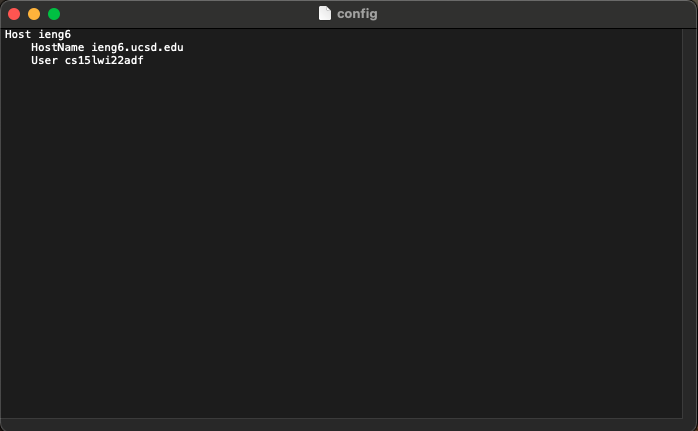
3) My computer opens it with the textEdit app. Now all I have to do is to edit the config file with the app. My config file looking something like this:
ssh command that logs me in
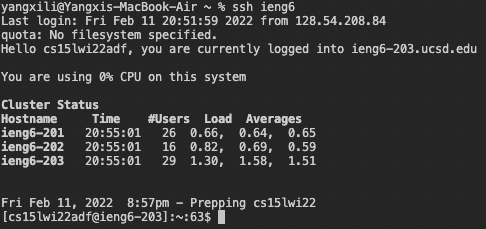
My login ssh command is shown below.
$ ssh ieng6
The results are shown below.
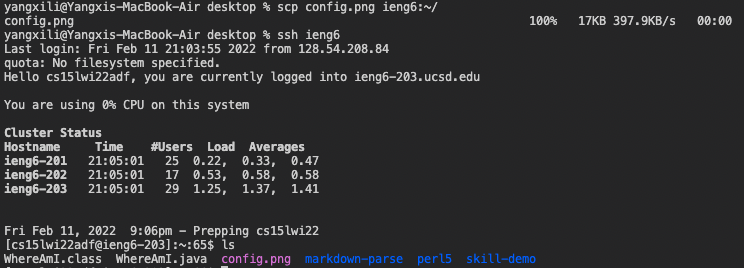
scp command
My scp command is shown below.
$ scp file-name ieng6:~/
I copied an image called “config.png” from desktop to my account, and then I login to my server to check if the file is there.